
Agent Runner
The Agent Runner is a component in AstrBot used to execute Agents.
Starting from version v4.7.0, we have migrated three providers—Dify, Coze, and Alibaba Cloud Bailian Application—to the Agent Runner layer, reducing some conflicts with AstrBot's existing features. Rest assured, if you upgrade from an older version to v4.7.0, you don't need to take any action as AstrBot will automatically migrate for you. Later versions also added DeerFlow support as an Agent Runner provider.
AstrBot currently supports five Agent Runners:
- AstrBot Built-in Agent Runner
- Dify Agent Runner
- Coze Agent Runner
- Alibaba Cloud Bailian Application Agent Runner
- DeerFlow Agent Runner
By default, the AstrBot Built-in Agent Runner is the default runner.
Why Abstract the Agent Runner
In earlier versions, platforms with "built-in Agent capabilities" like Dify, Coze, and Alibaba Cloud Bailian Application were integrated into AstrBot as regular Chat Providers. In practice, we found that they are fundamentally different from traditional Chat Providers that "only handle text completion". Forcing them into the same layer caused many design and usage conflicts. Therefore, starting from v4.7.0, we abstracted them into independent Agent Runners.
From an architectural perspective, you can understand it as:
- Chat Provider is responsible for "talking";
- Agent Runner is responsible for "thinking + doing".
The Agent Runner calls the Chat Provider's interface and, based on the Chat Provider's response, performs multi-turn "perceive → plan → execute action → observe result → re-plan" loops.
A Chat Provider is essentially a single-turn completion interface, taking prompt + conversation history + tool list as input and outputting model responses (text, tool call instructions, etc.).
An Agent Runner is typically a loop that receives user intent, context, and environment state, makes plans based on strategy/model (Plan), selects and invokes tools (Act), reads results from the environment (Observe), understands the results again, updates internal state, decides the next action, and repeats this process until the task is completed or times out.
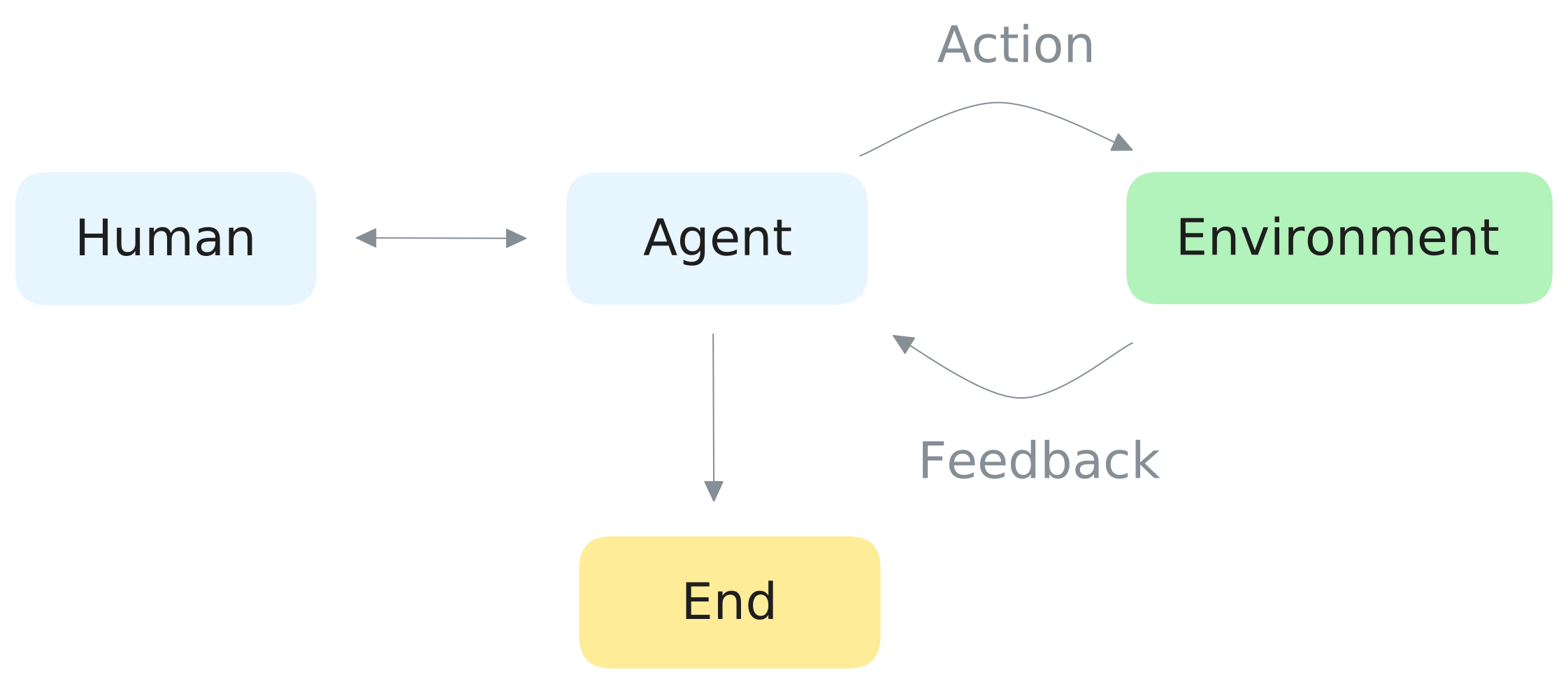
Platforms like Dify, Coze, Bailian Application, and DeerFlow have this loop built-in. If you treat them as regular Chat Providers, it will conflict with AstrBot's built-in Agent Runner functionality.
Usage
AstrBot uses its built-in AI by default. Select a chat model under Config → AI → Model, and configure personas, knowledge bases, and tools as needed.
To connect an external application, select the execution mode and enter its connection settings directly in the current configuration profile:
- Open Config in the WebUI sidebar, select the profile to edit, and open AI.
- Click More actions (
…) beside the AI heading, then Change Execution Mode. - Choose Dify, Coze, Alibaba Cloud Bailian, or DeerFlow, read and check the configuration reset acknowledgement, then click Use This Mode.
- Make sure Enable AI is on. Enter the API key, application ID, API endpoint, and other settings shown for that mode. See the integration guides below for the fields.
- Click Save Configuration at the bottom right to apply the changes.
IMPORTANT
Switching modes replaces the current execution mode's settings with the new mode's defaults. Switching back requires configuring it again. To preserve the original settings, copy the profile through Manage Configurations... before switching.
The current WebUI does not require creating an Agent Runner under Providers or selecting a runner provider ID. Each profile stores its own execution mode and connection settings. Use separate profiles when different bots need different applications.