
AstrBot Knowledge Base
TIP
Requires AstrBot version >= 4.5.0.
Configuring Embedding Model
Open Providers (/providers), switch to the Embedding tab, click Add, and select a provider type.
Currently, AstrBot supports embedding vector services compatible with OpenAI API and Gemini API.
Select the provider in the left panel and fill in its API endpoint, API key, model name, and other settings in the right panel.
After completing the configuration, click Save.
Configuring Reranker Model (Optional)
A reranker model can improve the precision of final retrieval results to some extent.
Similar to configuring the embedding model, open Providers, switch to the Rerank tab, click Add, select a provider type, and save its configuration.
Creating a Knowledge Base
AstrBot supports multiple knowledge base management. During chat, you can freely specify which knowledge base to use.
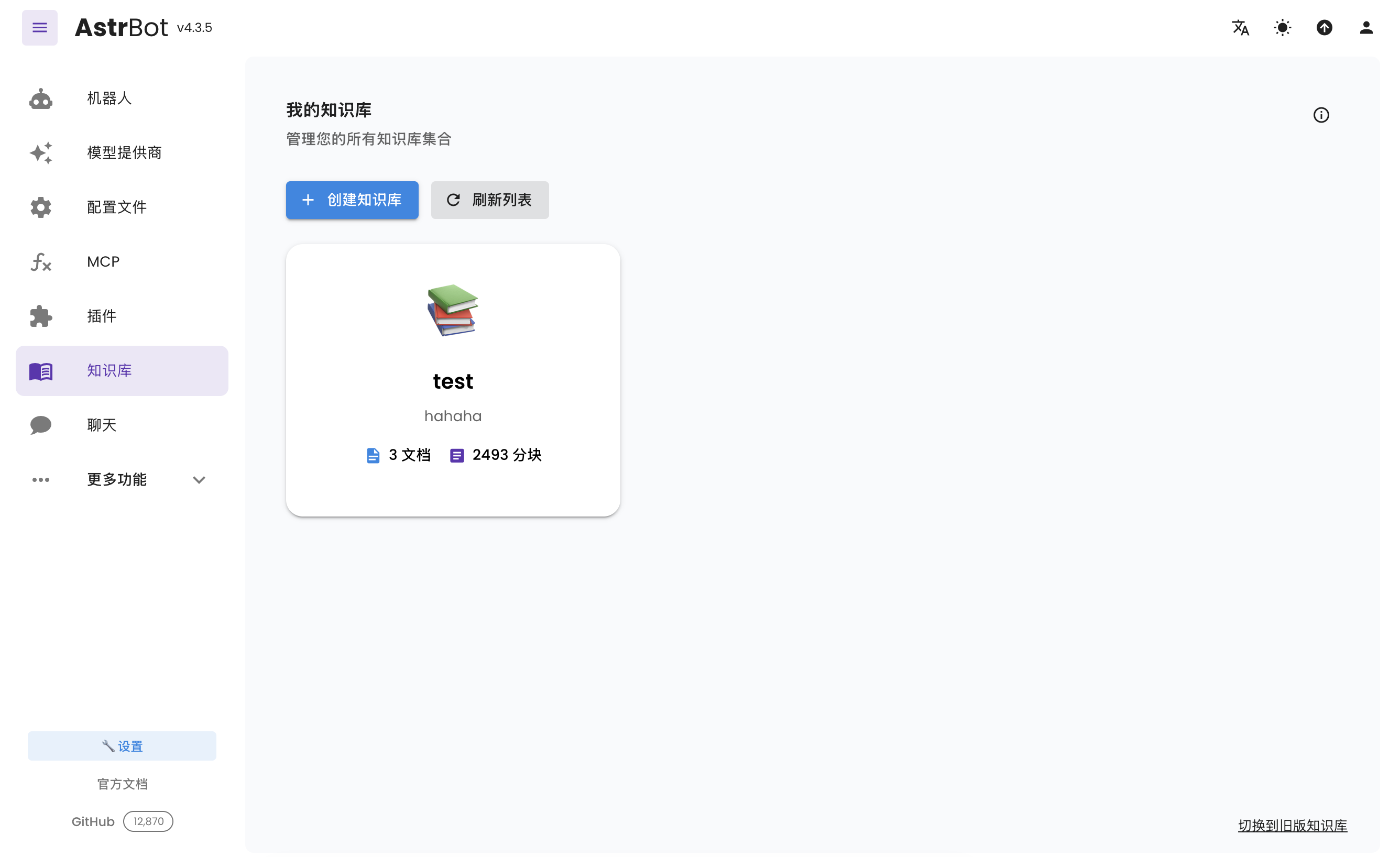
Open Knowledge Base (/knowledge-base) from the sidebar and click Create Knowledge Base.
Fill in the name and other details. Select the embedding model under Embedding Model and, optionally, select a reranker in the separate Rerank Model (Optional) field. Then click Create.
TIP
Once you've selected an embedding model for a knowledge base, do not modify the model or vector dimension information of that provider, as this will seriously affect the retrieval accuracy of the knowledge base or even cause errors.
Uploading Files
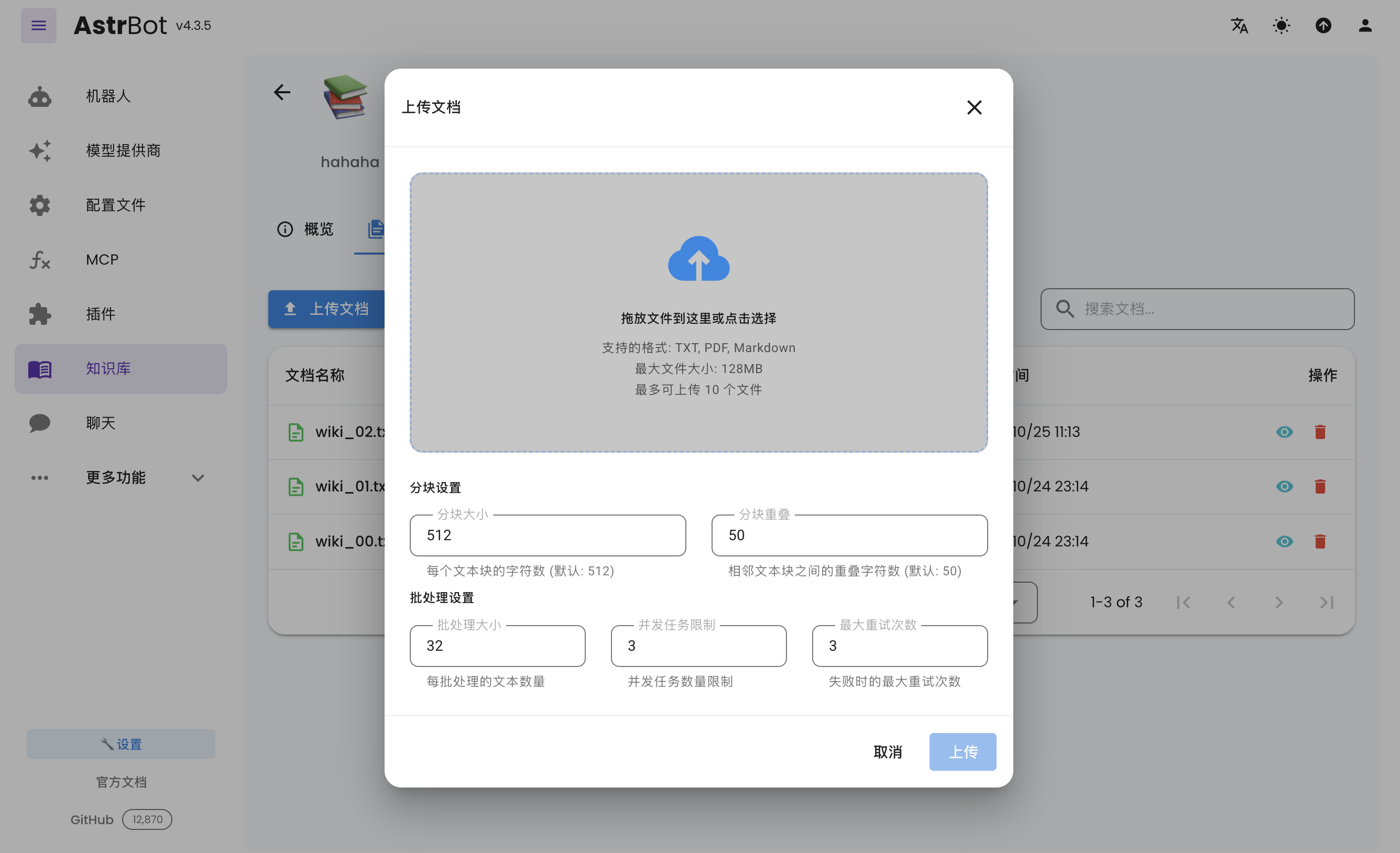
After creating a knowledge base, you can upload documents to it. Up to 10 files can be uploaded simultaneously, with a maximum size of 128 MB per file.
Using the Knowledge Base
Open Config, select the profile to edit, choose the knowledge bases under AI → Capabilities → Knowledge Base, and click Save Configuration at the bottom right. Each profile can use different knowledge bases.